
Prepare and teach
Open today's lesson with the rider's goals, horse pairing, arena, and recent coaching context.
10:00 - AvaSunny
GoalSteady pace
ArenaIndoor
Last focusRelease
For trainers and lesson programs
Prepare lessons, keep rider and horse context together, take quick notes at the rail, and publish useful next steps only when they are ready.
Already invited by your barn? Sign in.
Today, 10:00 AM
Lesson focus
Steady rhythm to fences and a quieter release.
Rider goal
Maintain pace through the full course.
Before the lesson
Goals and pairings
At the rail
Notes and attendance
After the lesson
Review and publish
Over time
Progress and next steps
One connected lesson workflow
BarnPage keeps the practical barn context trainers need together instead of turning each part of the lesson into another separate tool.
Open today's lesson with the rider's goals, horse pairing, arena, and recent coaching context.
Write feedback yourself or begin with a MEGAN-assisted draft, then review every detail before sharing.
Connect approved feedback to goals, scorecards, focus areas, and trends riders can understand.
Rider progress
Ava M.
See the product, not promises
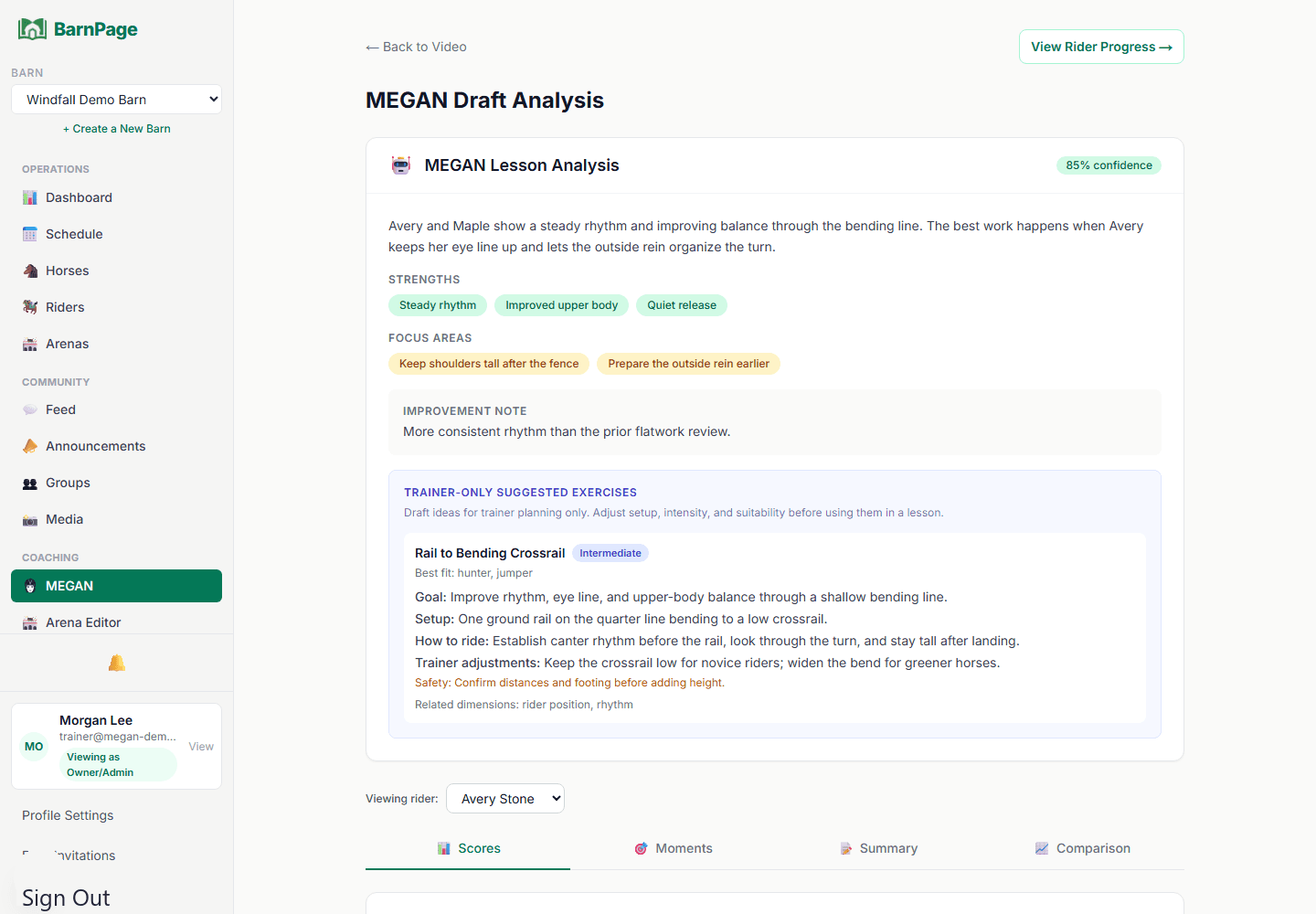
See the actual lesson review, Ringside, and Arena Prep experiences before deciding whether the workflow fits your barn.
Feedback
Review observations, scores, and next steps before anything reaches a rider or parent.
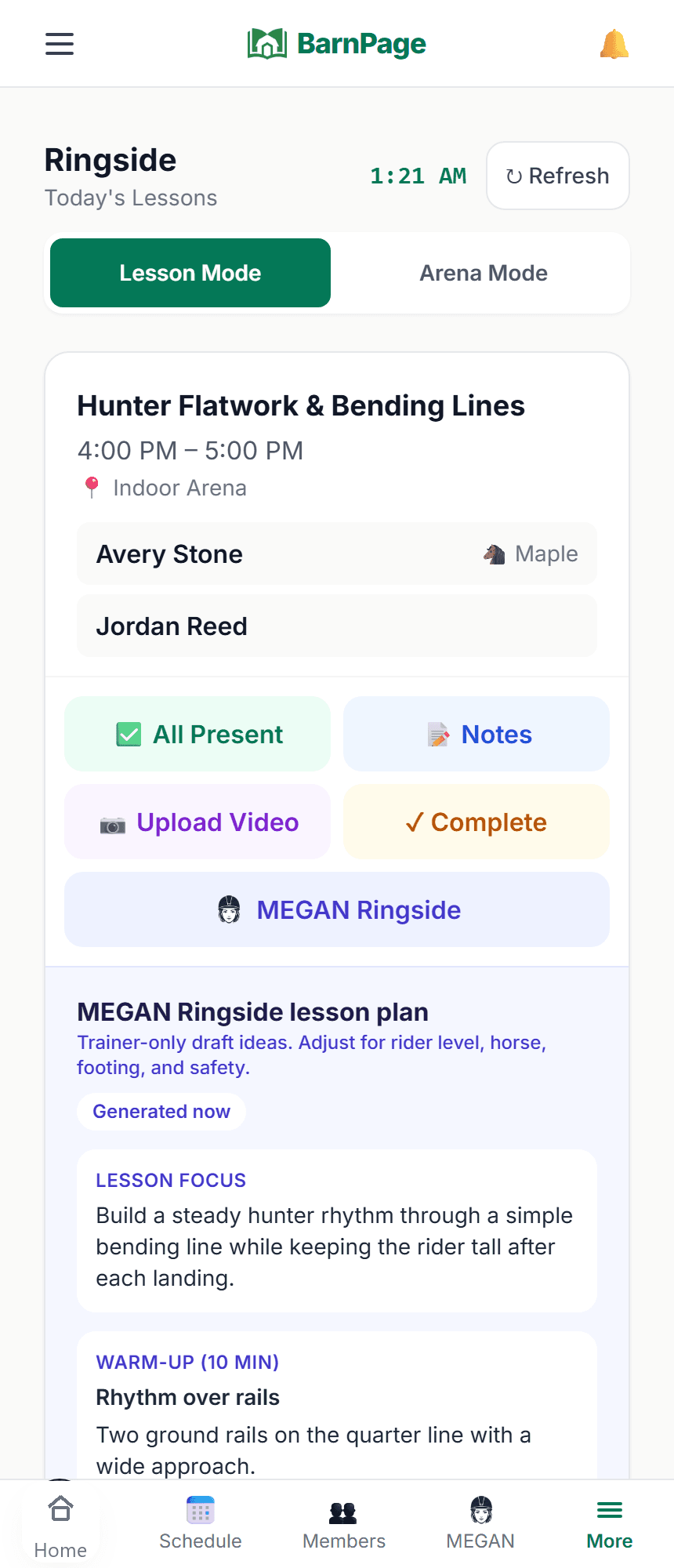
Ringside
Bring rider goals, horse context, lesson notes, and recent approved feedback to the lesson.
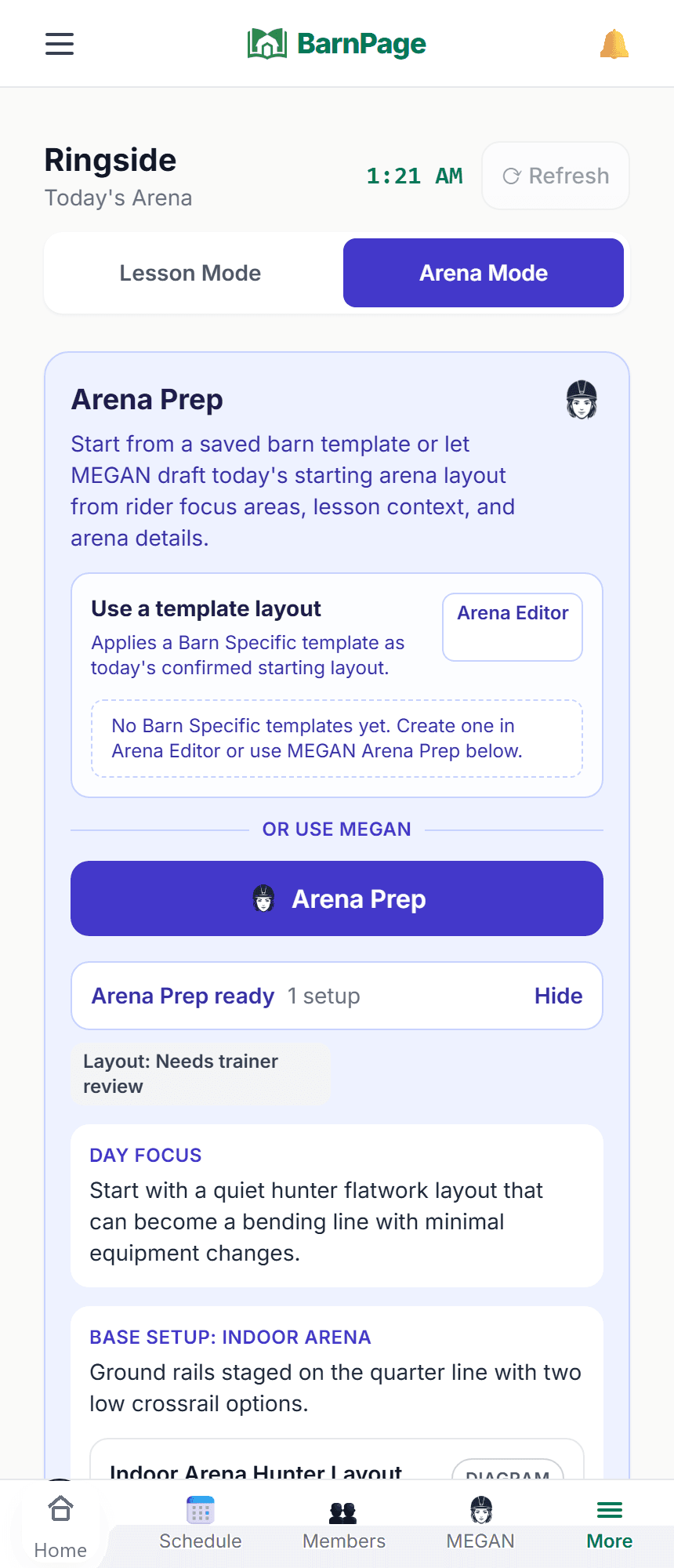
Arena Prep
Review starting layouts and setup changes while keeping every planning decision in trainer hands.
Today, 10:00 AM
Lesson focus
Steady rhythm to fences and a quieter release.
Rider goal
Maintain pace through the full course.
Built for the rail, not just the office
Review the rider's goals, horse pairing, lesson focus, and recent context before the lesson. Capture the essentials now, then finish detailed follow-up later without losing the thread.
Optional assistance
MEGAN is BarnPage's optional AI coaching assistant. Manual reviews and trainer-written notes remain available without it.
Step 1
MEGAN can organize initial video observations, lesson-plan ideas, or arena setup drafts.
Step 2
Correct, edit, remove, or replace anything that does not fit the rider, horse, or lesson.
Step 3
Share only what is useful and accurate, keep the draft private, or discard it entirely.
Prefer to write feedback yourself? Manual reviews and scorecards remain part of the normal workflow.
Simple pricing
See where manual reviews, lesson video, MEGAN analysis, Ringside, and Arena Prep fit before creating the barn account.
What happens after signup
Your Trial starts when you choose
New barns begin on Free. When the barn is ready to test video and MEGAN, the owner can start the one-time Trial from Plan & Billing. No credit card is required.
After 14 days, the barn returns to Free access automatically. Existing records stay in place, while Trial-only review, video, and MEGAN tools pause unless the barn chooses a paid plan from Plan & Billing.
Core operations
$0/month
Core barn tools for a small program.
Good fit
a small barn that wants scheduling, records, community, and progress tracking without review or video tools.
Manual follow-up
$19/month
Structured trainer feedback without video.
Good fit
trainers who want structured written feedback and scorecards without lesson video.
Video and analysis
$99/month
Lesson video and MEGAN-assisted analysis.
Good fit
active lesson programs that use video review and trainer-approved MEGAN drafts each calendar month.
Full planning suite
$199/month
Video analysis plus Ringside and Arena Prep.
Good fit
multi-trainer or high-volume programs that want unlimited MEGAN analysis, MEGAN Ringside, and MEGAN Arena Prep.
One-time 14-day Trial: no credit card required, up to 20 riders, video upload, 35 MEGAN analyses, MEGAN Ringside, and Arena Prep. The owner starts it when the barn is ready.
A trainer, owner, or manager can create the barn workspace, start with a small group, and invite the rest of the barn team later.
Trainers do not need to wait for the owner to begin. Create the barn, try the workflow with a small group, then invite the owner, managers, trainers, riders, and parents when the setup is ready.
Already invited by your barn? Sign in.